Want to access 300+ AI models from OpenAI, Anthropic, Google, Meta, Mistral, and DeepSeek using a single API key? If you build automations on Make.com or Boost.space, managing separate subscriptions and API accounts for every AI provider is expensive and time-consuming.
An OpenRouter API key provides a single, unified gateway to hundreds of frontier and open-weights AI models. Even better, OpenRouter maintains a permanent free tier that allows you to access powerful reasoning, vision, and coding models at $0.00 token cost without entering a credit card.
What is OpenRouter and Why Do You Need an API Key?
OpenRouter is an institutional-grade API aggregator that standardizes model requests into an OpenAI-compatible format. Instead of maintaining 5 different billing accounts, OpenRouter offers:
- Unified Billing & Invoicing: Pay for all AI models (GPT-4.5, Claude 3.7 Sonnet, DeepSeek R1) from a single prepaid balance.
- Smart Failover Routing: If your primary provider experiences downtime or high latency, OpenRouter automatically reroutes your prompt to an alternate cluster in milliseconds.
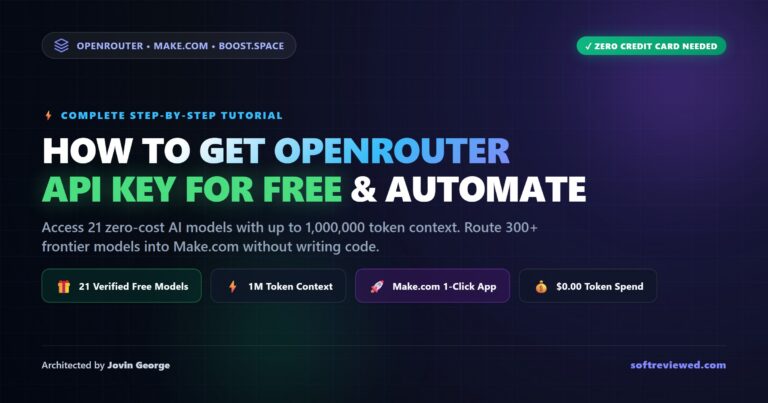
- Zero-Cost Free Models Router: Access 21 active free models with up to 1,000,000 token context lengths at zero dollar cost.
Step 1: Create Your Free OpenRouter Account
Getting started takes less than 60 seconds:
- Navigate to the official OpenRouter website (
openrouter.ai). - Click the Sign In or Sign Up button in the top right corner.
- Authenticate using your Google account, GitHub account, or email.
Your account is immediately active. You do not need to enter payment information to access free models.
Step 2: Generate Your OpenRouter API Key
To create your new API key:
- Navigate to
openrouter.ai/keys(or click your profile avatar and select Keys). - Click the blue Create Key button.
- Name Your Key: Enter a recognizable label (e.g.,
Make.com Production Automation). - Set a Credit Limit (Optional): If you plan to add paid credits later, set a hard spend cap (e.g., $10.00) with optional expiration limits. For free-tier use, leave this blank.
- Click Create and copy your key string (
sk-or-v1-...) immediately. OpenRouter only displays this plaintext key once.
Authentication & API Security Best Practices
OpenRouter uses standard HTTP Authorization Bearer token headers:
- Authorization:
Bearer sk-or-v1-YOUR_KEY - Content-Type:
application/json - HTTP-Referer: Your website or application URL
- X-Title: Your application title
If your key is accidentally exposed, revoke it immediately via openrouter.ai/keys and generate a replacement.
Live Verified Catalog of 21 Free OpenRouter Models
Here are the top active zero-cost models pulled directly from OpenRouter’s live API:
| Model Name | API Identifier | Context Window | Primary Strength |
|---|---|---|---|
| Free Models Router | openrouter/free |
200,000 | Automated Load Balancing: Routes across available free models automatically. |
| Google Gemma 4 31B | google/gemma-4-31b-it:free |
262,144 | Video & Image Vision: Analyzes video frames and multi-page PDFs at $0.00. |
| MiniMax M3 (1M Context) | minimax/minimax-m3:free |
1,048,576 | Massive 1M Context: Summarizes full webinars, books, and transcripts for free. |
| NVIDIA Nemotron 3 Ultra | nvidia/nemotron-3-ultra-550b-a55b:free |
1,000,000 | Frontier Reasoning: 550B parameter mixture-of-experts logic at $0.00. |
| NVIDIA 3.5 Lightning | nvidia/nemotron-3.5-lightning:free |
1,000,000 | High-Speed 1M RAG: Ultra-fast document search and retrieval. |
| Thinking Machines Inkling | thinkingmachines/inkling:free |
1,048,576 | Multi-Modal Audio AI: 1M context with audio and visual understanding. |
| Cohere North Mini Code | cohere/north-mini-code:free |
256,000 | Agentic Coding: Generates code and validates complex JSON structures. |
How to Test Your API Key with cURL and Python
Confirm everything is working before building scenarios:
cURL:
curl https://openrouter.ai/api/v1/chat/completions \
  -H "Content-Type: application/json" \
  -H "Authorization: Bearer sk-or-v1-YOUR_KEY" \
  -d '{"model": "openrouter/free", "messages": [{"role": "user", "content": "Explain AI automation in 10 words."}]}'
Python:
import requests

url = "https://openrouter.ai/api/v1/chat/completions"
headers = {
    "Authorization": "Bearer sk-or-v1-YOUR_KEY",
    "Content-Type": "application/json"
}
data = {
    "model": "openrouter/free",
    "messages": [{"role": "user", "content": "Hello OpenRouter!"}]
}

res = requests.post(url, headers=headers, json=data)
print(res.json())
Why Use the OpenRouter Custom App for Make.com & Boost.space?
Connecting OpenRouter to visual builders with generic HTTP modules requires complex JSON formatting, manual header mapping, and raw binary buffer management. The OpenRouter Custom App for Make.com and OpenRouter Custom App for Boost.space provide 7 drag-and-drop modules:
- Universal Chat: Access 300+ models, openrouter/free, live web search grounding, and strict JSON schemas.
- Generate Image: FLUX 1.1 Pro photorealism and scalable Recraft vector SVGs.
- Generate Speech (TTS): Studio-quality voiceover generation in MP3 and WAV.
- Transcribe Audio (STT): High-accuracy Whisper transcription with sentence timestamps.
- Generate Video: Text-to-video & image-to-video with automated background polling.
- Generate Music: Google Lyria AI soundtrack and music generation.
- Upscale Video: AI resolution upscaler upgrading video to 1080p and 4K.
Step-by-Step: Connecting Your API Key in Make.com
- Install the Custom App via your private workspace link.
- Add the OpenRouter Universal Chat module to your scenario.
- Click Add Connection, paste your OpenRouter API key (
sk-or-v1-...), and click Save. - Select
openrouter/freein the model dropdown, map your prompt data, and click Run Once!
4 Practical Zero-Cost Automation Blueprints
- Customer Support Email Triage ($0.00): Routes incoming emails to
google/gemma-4-31b-it:freeto categorize urgency and post alerts in Slack. - E-Commerce Product Catalog Tagging ($0.00): Uses
google/gemma-4-26b-a4b-it:freecomputer vision to tag WooCommerce product photos automatically. - CRM Lead Enrichment ($0.00): Cleans and standardizes messy job titles and company names using
minimax/minimax-m3:free. - Meeting Action Item Extractor ($0.00): Ingests full 1-hour Zoom transcripts into
nvidia/nemotron-3.5-lightning:freeto extract executive checklists into ClickUp.
Get Instant Access to the Custom App Suite
Install the custom app today for a one-time purchase of $30 (discounted from $35) and get permanent access to 300+ models with zero subscription markups.
Get Make.com Custom App ($30) → Get Boost.space Custom App ($30) →Frequently Asked Questions
Can I use the OpenRouter API for free?
Yes. Creating an account and using all 21 models with the :free suffix or the openrouter/free router requires no payment information and costs $0.00.
How do I add credits for paid models?
Navigate to the billing tab and add credits (minimum $5.00) using a credit card or crypto. Your single API key will seamlessly handle both free and paid models.
What if I get an “Access Denied” error when installing the Custom App?
If your Make.com workspace role restricts external app installation, invite [email protected] as a developer to your Make.com organization, and I will install and verify the custom app for you directly.