
When I first opened the model dropdown in Google Antigravity after the November 12 update, a brand-new option caught my eye: Orchestrator.
If you have spent any real time working with autonomous coding agents, you know the frustrating trade-off we deal with every single day. If you point a massive frontier model like Gemini 4 Carbon at your codebase, it handles complex system architecture effortlessly, but it burns through your expensive quota just running basic package installs and trivial file edits. On the other hand, if you switch to a lightweight model like Gemini 3.8 Flash, it flies through simple commands but quickly derails when a prompt requires subtle multi-file refactoring.
Google’s solution to this dilemma is Google Antigravity Orchestrator. Instead of forcing you to choose between brute-force intelligence or speed, Orchestrator splits the job across two different models within the very same conversation.
Here is my complete teardown of what Google Antigravity Orchestrator actually does, how its bi-directional trajectory works under the hood, and the practical questions you need answered before turning it on.
Watch our 60-second video breakdown of Google Antigravity Orchestrator mode.
What Is Google Antigravity Orchestrator?
Google Antigravity Orchestrator is an automated multi-model routing feature built directly into the Antigravity development environment. It pairs Google's high-tier reasoning models (Gemini 4 Carbon or Gemini 4 Argon) with the newly released Gemini 4 Hydrogen model, allowing both models to collaborate on a single programming task without manual intervention.
To understand why this is such a major step forward, you have to look at the flaw in standard AI coding workflows.
Most AI platforms use a static model router. When you submit a prompt, the router guesses how difficult your request is and assigns the entire job to either a cheap model or an expensive one.
That approach sounds great on paper, but it completely falls apart in real-world software engineering.
A task that starts as a simple instruction ("add an input validation check to the checkout form") frequently uncovers hidden technical debt, deprecated dependencies, or circular imports three steps into execution. A lightweight model gets hopelessly stuck in loops, while assigning the entire job to a frontier model from the start wastes huge amounts of quota on routine typing.
Google Antigravity Orchestrator eliminates static guessing. It adopts a dynamic, bi-directional approach where model switching happens inside the execution loop as the complexity of the task unfolds.
How Google Antigravity Orchestrator Works Under the Hood
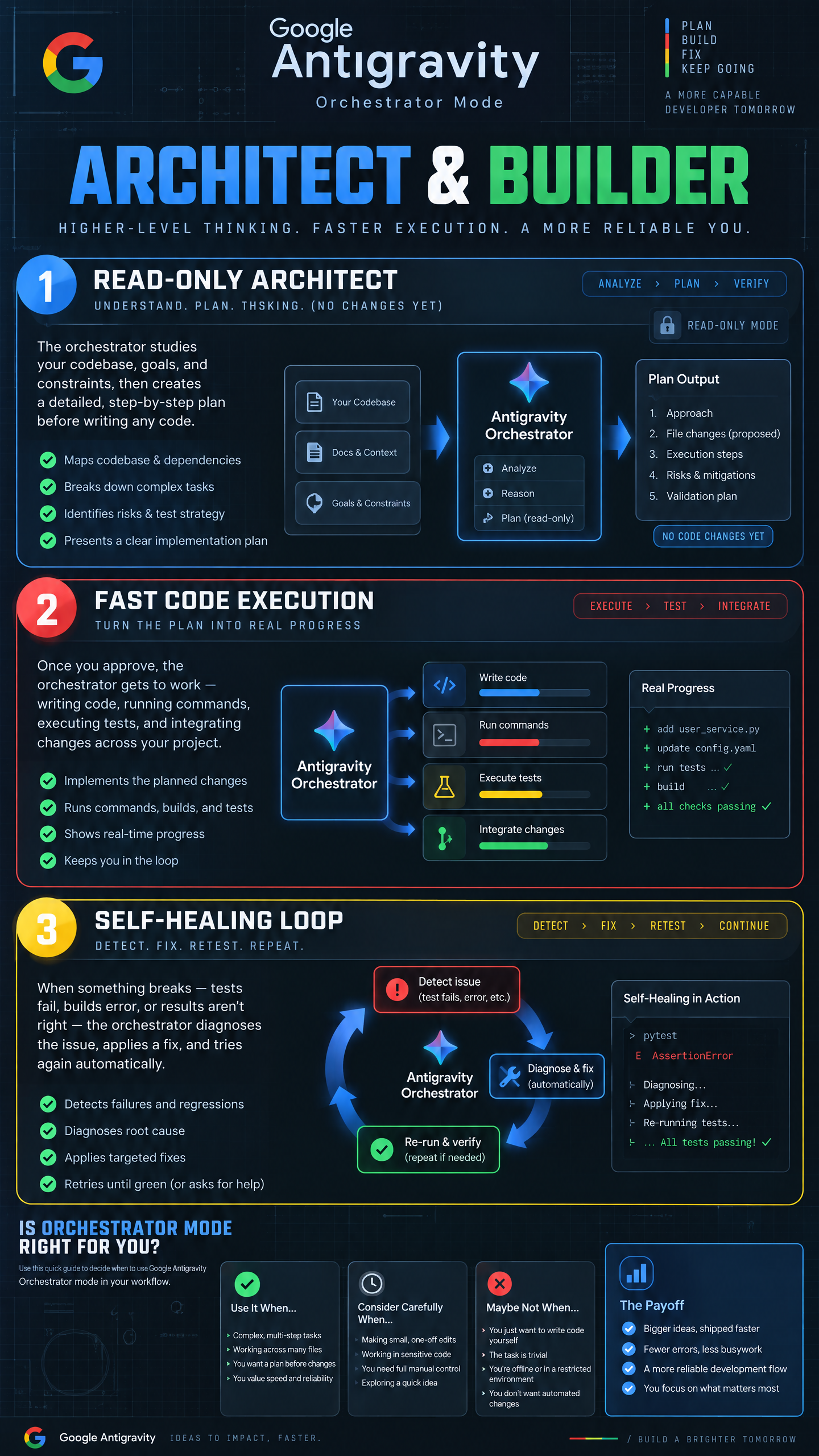
The entire orchestration workflow runs across three distinct phases within a single continuous trajectory:
Phase 1: Read-Only Exploration & Blueprint Creation
The trajectory begins with the frontier model (Gemini 4 Carbon on Ultra, or Argon on Pro). Crucially, this model starts in a read-only sandbox. It inspects directory structures, reads configuration files, traces symbol definitions, and constructs a detailed step-by-step implementation plan. It also defines explicit re-planning triggers (e.g., test failures or missing packages).
Phase 2: High-Velocity File Edits & Terminal Testing
Once the plan is locked, control transfers seamlessly to Gemini 4 Hydrogen. Hydrogen handles the physical execution: editing source code, updating dependencies, creating unit tests, and executing commands in the integrated terminal. Because Hydrogen is built specifically for execution speed, diffs are generated almost instantaneously.
Phase 3: The Friction Handback & Self-Healing Loop
If Hydrogen encounters unexpected friction—such as a failing test suite, a compilation error, or an ambiguous API response—it does not hallucinate fixes. Instead, the trajectory automatically yields control back to Carbon. Carbon inspects the diff, diagnoses the root cause, updates the master plan, and hands execution back to Hydrogen to finish the job.
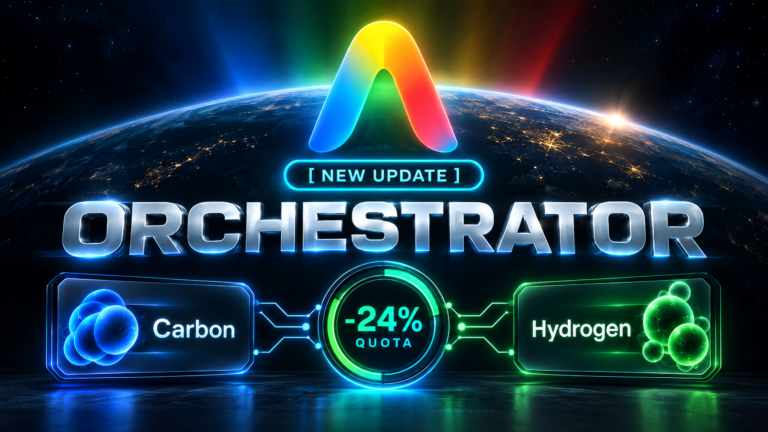
According to Google's official Terminal-Bench 4.1 evaluations, this hybrid approach achieves near-Carbon task completion rates while consuming 24% less quota and running 19% faster on average compared to running Carbon alone.
The Tough Questions: What Most Articles Won't Tell You
Beyond the promotional benchmarks, several practical questions matter to developers paying for Google AI subscriptions. Here is what I observed when examining the mechanics:
1. The Benchmark Paradox: Why Does Argon Supervise Hydrogen on Pro?
When Google unveiled Gemini 4 Hydrogen, one benchmark number immediately sparked debate across developer communities.
On the independent Artificial Analysis Intelligence Index, Gemini 4 Hydrogen scored 51 at default high thinking, surpassing Gemini 4 Argon's score of 50 (and reaching 54 at the xhigh setting).
This naturally led developers to ask: If Hydrogen scores higher than Argon, why is Argon the "boss" orchestrating Hydrogen on the Pro tier?
The explanation comes down to the difference between raw execution speed and architectural judgment:
- Instruction Execution vs. Architectural Grounding: Artificial Analysis evaluates rapid problem solving and code generation across standardized tests. Hydrogen is exceptionally good at following precise steps and writing clean syntax.
- Long-Horizon Coherence: Argon possesses superior multi-file reasoning, deeper context retention, and better causal debugging when dealing with complex, legacy codebases.
- Argon's job in Orchestrator mode is not to type fast; its job is to keep Hydrogen from wandering off track when unexpected errors occur.
2. Does Google Antigravity Orchestrator Always Save Quota?
The short answer is no. The 24% quota savings figure applies specifically to long-horizon, multi-step engineering tasks.
If you are asking Antigravity to perform a small 5-line bugfix or format a single utility file, turning on Google Antigravity Orchestrator actually uses more tokens than simply running standalone Hydrogen.
Why? Because Orchestrator always runs Phase 1 first. Carbon will spend 1,500 to 3,000 tokens reading your project directory and drafting a formal execution blueprint before Hydrogen ever writes a character. On tiny tasks, that planning overhead is unnecessary.
My Rule of Thumb:
* For quick single-file edits, minor CSS adjustments, or isolated script updates, select Gemini 4 Hydrogen directly.
* For feature additions spanning 3+ files, major version upgrades, database schema migrations, or complex bug triage, turn on Google Antigravity Orchestrator.
3. Why Is Carbon Kept in Read-Only Mode During Planning?
A subtle but critical security feature in Orchestrator is the strict read-only boundary placed on Carbon during Phase 1.
In early autonomous agent experiments, frontier models often attempted to modify files before fully mapping the dependency graph. This caused cascading build failures when a speculative edit broke an unread downstream module.
By locking Carbon to read-only exploration, Antigravity ensures that no file on disk is touched until a complete, verified dependency map exists. All physical writes are strictly delegated to Hydrogen, which executes them against verified checkpoints.
4. Can You Orchestrate Non-Google Models Like Claude Opus?
Inside the native Google Antigravity IDE dropdown, your choices are strictly limited to official Google pairings:
* Orchestrator (Carbon): Carbon + Hydrogen (Available on Ultra).
* Orchestrator (Argon): Argon + Hydrogen (Available on Ultra and Pro).
However, if you are building custom workflows using the Antigravity SDK, you have full programmatic control. Developers can write explicit multi-agent pipelines where a frontier model from another provider (such as Anthropic's Claude 3.7 Sonnet) handles high-level triage while Hydrogen executes the terminal tasks.
Performance Comparison: Solo Models vs. Orchestrator
To visualize where Orchestrator fits in the Antigravity ecosystem, here is how the models compare across key technical metrics:
| Model Selection | Primary Role | Terminal-Bench 4.1 | Quota Efficiency | Recommended Use Case |
|---|---|---|---|---|
| Gemini 4 Carbon (Solo) | Frontier Architect | Highest (~60%+) | High Consumption | Hardest algorithmic bottlenecks, security audits |
| Gemini 4 Hydrogen (Solo) | Rapid Builder | 57.0% | Very High (Fast & Lean) | Everyday coding, single-file scripts, PR reviews |
| Orchestrator Mode | Carbon/Argon + Hydrogen | Near-Carbon Success | 24% Less Quota Used | Multi-file feature builds, refactors, bug triage |
| Gemini 3.8 Flash (Legacy) | Previous Gen Fast Model | 18.2% | Moderate | Legacy baseline (effectively replaced by Hydrogen) |
Who Gets Access to Google Antigravity Orchestrator?
Access to Orchestrator depends on your active Google AI plan tier:
- Google AI Ultra Subscribers: Get access to both Orchestrator (Carbon) and Orchestrator (Argon). If you have Ultra, Orchestrator (Carbon) should be your default setting for any substantive feature request.
- Google AI Pro Subscribers (Paid): Get access to Orchestrator (Argon). Carbon is currently reserved for Ultra and Enterprise tiers, but pairing Argon with Hydrogen still delivers substantial speed and quota benefits over running Argon solo.
- Google Antigravity Free Tier: Orchestrator mode is currently not available on free trial accounts.
- Enterprise (Gemini for Business): Organizations get full access to both pairings alongside custom policy enforcement and Antigravity SDK orchestration.
Final Takeaway: Should You Switch to Orchestrator?
If you are paying for Google AI Ultra or Pro and spend hours inside Google Antigravity, Google Antigravity Orchestrator is an easy win for your daily workflow.
It successfully solves the single biggest bottleneck of agentic development: the fact that high-reasoning frontier models are too slow and expensive for routine coding, while fast models are too fragile for complex architecture. By letting Carbon handle the blueprint and letting Hydrogen handle the keyboard, you get top-tier results without draining your monthly quota by mid-afternoon.
Try switching your model selector to Orchestrator (Carbon) or Orchestrator (Argon) on your next multi-file coding task, and keep an eye on how much quota remains in your dashboard.