Video Express AI Review (2026): All-in-One AI Video Generator & Lifetime Deal Price
Quick Summary: Key Features of Video Express AI Software
- Multi-Engine AI Video Generation: Generates fluid, realistic video footage from simple text prompts and static images, powered by integrated next-gen models like Kling AI and diffusion video pipelines.
- Video Object Removal Inpainting: Erase unwanted photobombers, power lines, clutter, and timestamps from existing video clips with 1-click neural inpainting.
- Integrated Multi-Track Timeline: Edit, slice, trim, layer B-roll, add custom voiceover audio, generate auto-subtitles, and overlay sound effects inside a native web-based video editor.
- Zero Hidden Costs or Monthly AI Subscriptions: Escape expensive $30–$95/month recurring SaaS subscriptions like Runway Gen-3, CapCut Pro, and Sora with a single $49 one-time payment.
Video Express Architecture: Why Creators Choose This Video AI
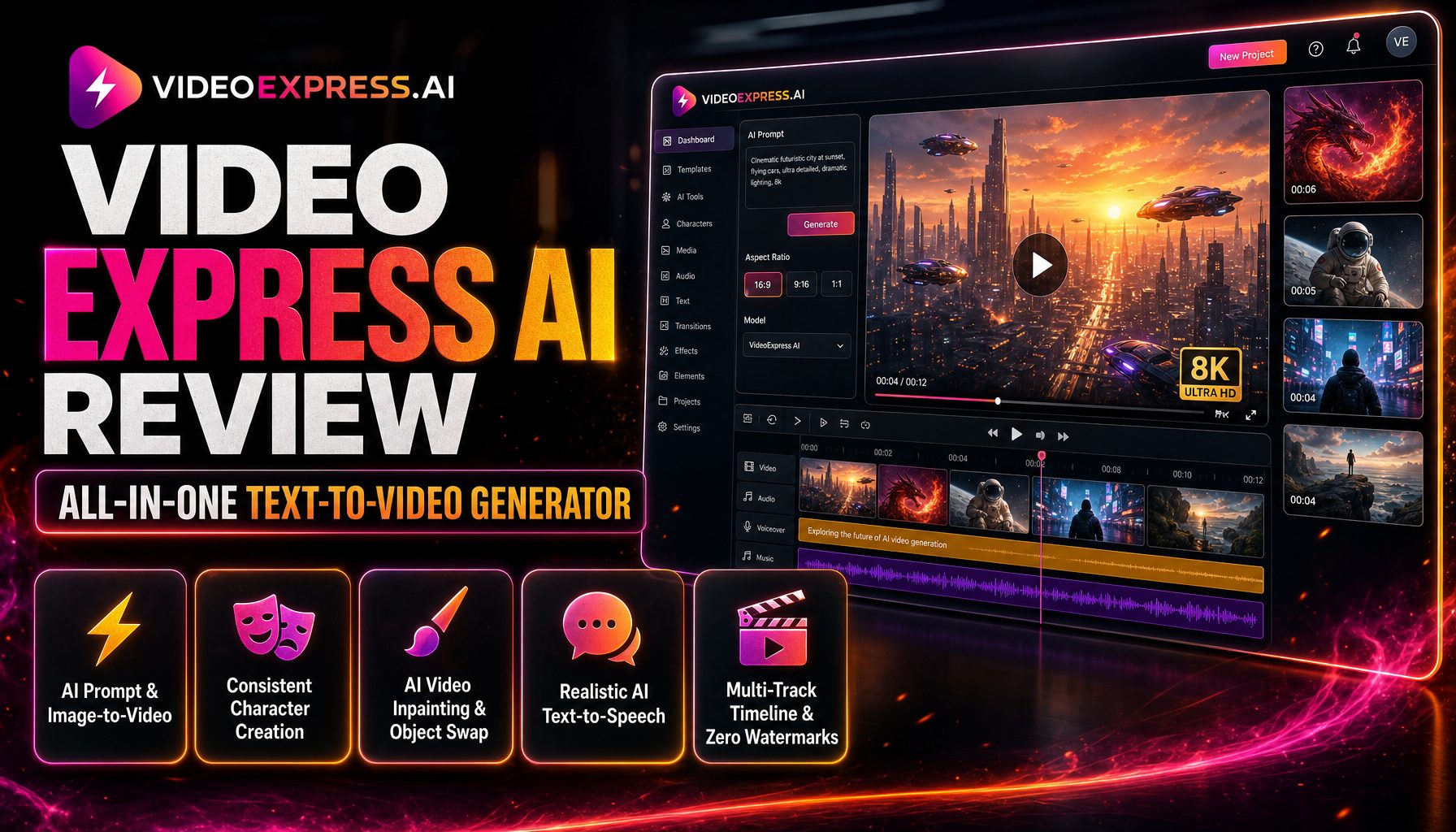
How Video Express unifies generative AI video, in-timeline object removal, and commercial agency rights without recurring subscription overhead.
1. Generative Video Engine
- Prompt-to-Video & Image-to-Video: Transform raw text or still photos into dynamic 5-10 second cinematic scenes.
- Kling AI Architecture: Employs state-of-the-art motion diffusion for realistic human movements and lighting.
- Motion Brush Animation: Paint specific areas of an image to dictate exactly which elements move or sway.
- Camera Controls: Direct virtual camera pans, tilts, zooms, and aerial orbits with simple directional toggles.
2. In-Timeline Video Editor
- Video Object Removal: Erase people, logos, or stray background elements with neural video inpainting.
- Automated Subtitles & Transcripts: Transcribe speech to text and render kinetic captions for short-form video.
- Multi-Track Editing: Arrange audio tracks, voiceovers, video overlays, and sound FX on a synchronized timeline.
- Face Swap & Character Consistency: Swap actor faces onto stock scenes for personalized marketing hooks.
3. Commercial Creator Freedom
- Unlimited Video Rendering: Export finished video clips continuously without token exhaustion stress.
- Faceless Social Automation: Build automated viral channels across YouTube Shorts, TikTok, and Instagram Reels.
- Full Client Monetization Rights: Sell commercial promo videos, real-estate clips, and video ads to paying clients.
- One-Time Lifetime Price: Avoid endless monthly bills of $30-$95/month from Runway, Pika, and CapCut.
1. Video Express AI Review (2026): What Is Video Express and How to Generate Videos with AI Video Generation?
If you are looking for an honest, comprehensive video express ai review in 2026, you understand the current bottleneck in video creation. High-end video production has traditionally required complex 3D rendering workstations, expensive camera gear, or monthly generative AI subscriptions that cost upwards of $50 to $100 every single month. Video Express (also known as VideoExpress AI) is an all-in-one ai video generator and cloud-based video editor engineered to make cinematic video generation fast, intuitive, and remarkably affordable for every independent content creator and freelance marketer who wants to create videos without a steep technical barrier.
Rather than functioning solely as a basic Discord bot prompt box, Video Express is built as a complete, ai-powered creative suite. You can type a detailed text prompt to generate photorealistic scenes, upload reference images to animate them with customized motion paths, and use neural inpainting to erase unwanted background items from existing footage. Having tested Video Express across YouTube Shorts, TikTok ads, and commercial client clips on SoftReviewed, our production team analyzed its motion physics, camera controls, and overall rendering fidelity against leading models in the generative video ai ecosystem. It takes your visual storytelling to a whole new level in the creator world on youtube.
💡 Exploring Static Graphics & Image Generation? Pair your video production with our in-depth Artistly Review to discover unlimited photorealistic AI image generation with an all-access lifetime license.
2. Core Features & Video Editor: Prompt to Video, Motion Brush, and Object Removal Inpainting
What sets Video Express apart in our hands-on ai review is its balance between raw generative horsepower and practical post-production tools. Here is an overview of the core ai tools and ai video tools included within the software:
- AI Prompt to Video & Image to Video: Turn descriptive natural language prompts into dynamic ai video clips in seconds. You can also upload still photographs, logos, or 2D artwork and instruct the software to bring them to life with natural physics and lighting.
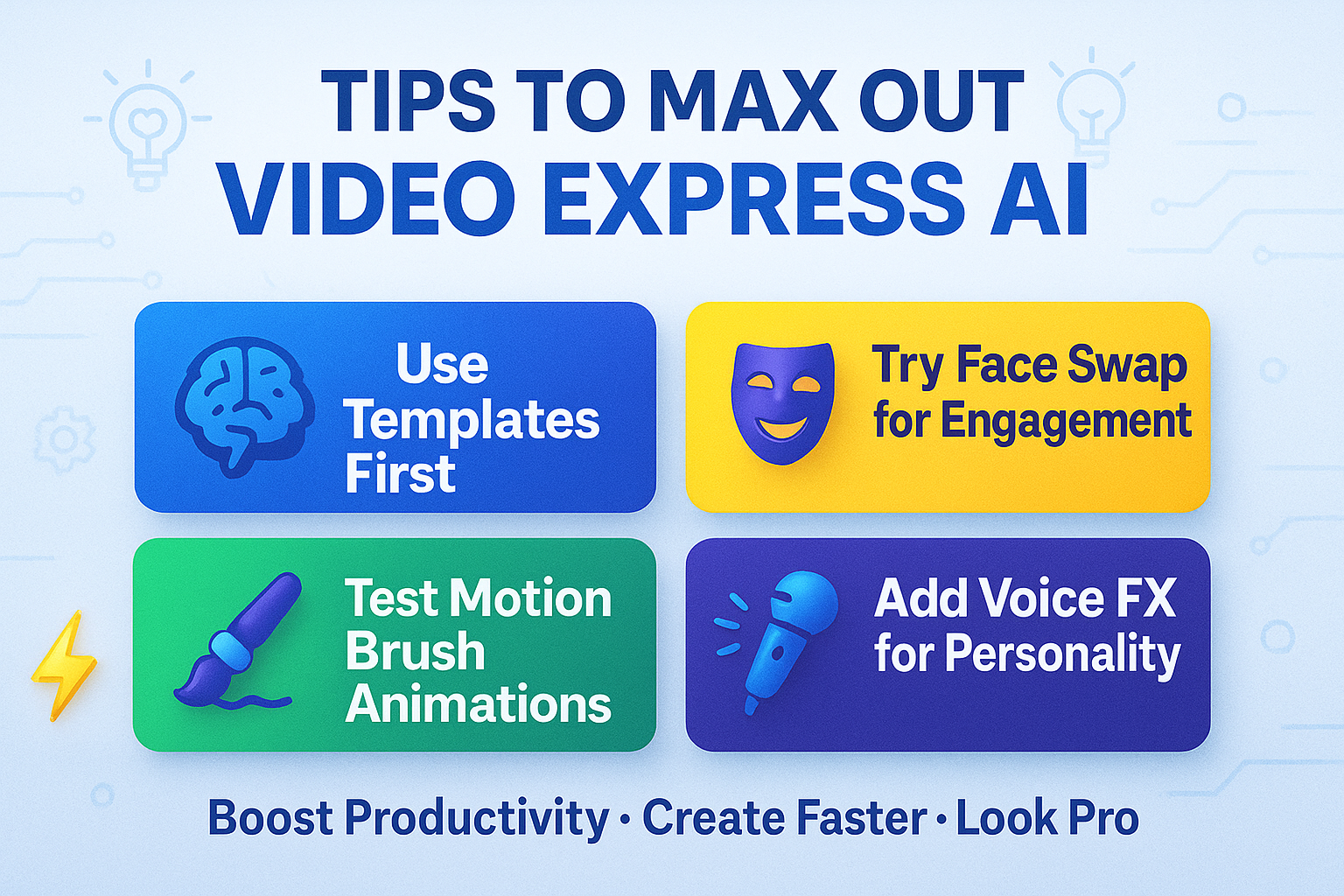
- Motion Brush Animation: Paint over specific elements within an uploaded still image—such as flowing water, drifting smoke, or a character’s waving hand—to direct motion precisely without distorting the rest of the canvas.
- Neural Video Object Removal: Erase unwanted objects, stray bystanders, or distracting logos from pre-recorded footage. The software analyzes neighboring frames and replaces the selected area with coherent background textures.
- Cinematic Virtual Camera Moves: Apply cinematic zoom, pan, tilt, rotation, and dynamic drone tracking shots directly through intuitive directional toggles.
- Automated Subtitles & Audio Transcripts: Generate automatic video transcript data and kinetic animated captions in multiple languages and accents, essential for short-form social engagement on TikTok and Instagram.
- Face Swap & Avatar Consistency: Seamlessly integrate custom actor faces onto pre-rendered templates to produce consistent branding across an entire video campaign.
- Flexible Video Format Controls: Switch between 16:9 widescreen, 9:16 vertical reel dimensions, and square feeds with automatic canvas re-framing.
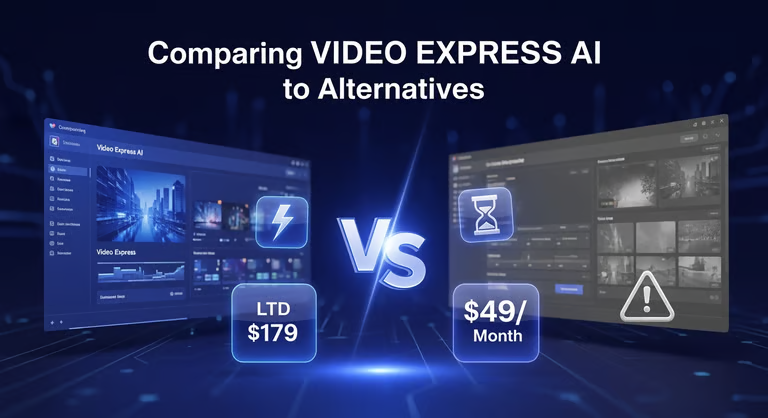
3. Video Express AI vs Runway, Kling AI & CapCut: The Best AI Alternative with Zero Monthly Fees?
When creators search for a dependable ai alternative to industry titans like Runway Gen-3, Kling AI, and CapCut Pro, the decisive comparison always centers on cost versus creative flexibility:
| Feature Comparison | Video Express AI (Lifetime Deal) | Runway Gen-3 | CapCut Pro | Kling AI Standard |
|---|---|---|---|---|
| Pricing Model | $49 One-Time Payment | $15–$95 / month recurring | $9.99 / month recurring | $10–$35 / month subscription |
| Monthly Renewal Fees | ✅ Zero Monthly Fees | 🔴 Compounding subscription | 🔴 Recurring subscription | 🔴 Credit renewal required |
| Built-in Object Removal | ✅ Yes (Neural video inpainting) | ⚠️ Limited brush tools | ⚠️ Basic cutout only | ❌ Not included |
| Timeline Editor Included | ✅ Full multi-track timeline | ⚠️ Minimal timeline tools | ✅ Rich video editor | ❌ Web prompt only |
| Motion Brush Controls | ✅ Included | ✅ Yes (paid plans) | ❌ No | ✅ Yes |
| Commercial Resale Rights | ✅ Full Commercial Agency Rights | ✅ Paid plans only | ⚠️ Commercial restrictions | ✅ Included on paid plans |
| Learning Curve | 🟢 Gentle (under 20 minutes) | 🟡 Moderate | 🟢 Very easy | 🟡 Moderate |
Unlike standalone prompt tools that cap how many video clips per month you can render before charging extra token fees, Video Express provides an integrated built-in video workflow where you can generate, splice, caption, and export completed videos under one roof. It is a truly powerful ai suite that delivers all-access creative freedom.
💡 Need 2D & 3D Character Animation Instead? Check out our comprehensive guide to CreateStudio 4 Review to compare keyframed character animation against generative diffusion video.
4. Video Express AI Pricing & Lifetime Deal Breakdown: Save Hundreds with a One-Time Payment
One of the primary catalysts behind the viral buzz surrounding Video Express is its promotional pricing structure. While SaaS video suites charge recurring subscription fees that drain hundreds of dollars from your business every year, Video Express is available through an exclusive lifetime promotional package:
- Official Lifetime License ($49 One-Time Payment): Grants permanent access to the core text-to-video engine, image-to-video generator, motion brush controls, neural video object removal inpainting, multi-track timeline editor, automated subtitles, and full commercial monetization rights.
- Zero Mandatory Monthly Fees: You never have to worry about recurring card charges, surprise renewal fees, or sudden price spikes. There are zero hidden costs.
- Instant Commercial Agency License: Produce video assets for freelance clients on Upwork, Fiverr, and local agency contracts with complete peace of mind.
5. Real User Experience & Use Cases: In-Depth Pros and Cons for Every Creator
Based on our extensive testing across dozens of render batches, here is an honest assessment of where Video Express excels and how it fits practical creative use cases:
🌟 Key Advantages (Pros)
- Huge Cost Reduction: Paying once eliminates $300–$1,200 in annual video software subscriptions, making it one of the most cost-effective investments in digital media.
- All-in-One Workflow: Combines generation, motion brushes, object erasing, and timeline stitching inside a single web interface.
- High Motion Realism: Leverages modern diffusion architectures to create natural kinetic movements without excessive warping or artifacting.
- Faceless Creator Friendly: Ideal for building automated niche channels across YouTube, TikTok, and Instagram without appearing on camera.
- High-Converting Client Pitches: Freelancers can quickly assemble a client pitch with polished B-roll in minutes without expensive studio bookings.
⚠️ Limitations to Consider (Cons)
- Clip Duration Limits: Individual generative clips are best kept between 5 to 10 seconds per scene before stitching them together on the timeline when producing longer videos.
- Queue Times During Peak Load: When thousands of global users render complex prompts simultaneously, generation queues can occasionally take 1 to 3 minutes per scene.
6. Step-by-Step Tutorial: How to Create Videos and Unlimited Video Clips for YouTube, TikTok & Reels
Creating high-converting social clips with Video Express is simple and fast. Here is the verified 5-step production workflow to produce engaging unlimited video content:
- Step 1: Define Your Concept & Ratio: Open the dashboard and select your project aspect ratio (16:9 for widescreen YouTube, 9:16 for vertical TikTok and Instagram reel formats, or 1:1 for social feeds).
- Step 2: Enter Your Prompt or Upload an Image: Type a detailed visual description or upload a character still. Set your motion intensity and desired camera angle.
- Step 3: Apply Motion Brush & Effects: Highlight areas of the scene you wish to animate, or apply object removal to clean up any unwanted background elements.
- Step 4: Assemble on the Multi-Track Timeline: Drag your rendered clips onto the timeline, arrange sequence transitions, add background audio, and enable automatic subtitle transcripts.
- Step 5: Export in Full HD: Render your finalized video in crisp 1080p high definition ready for immediate upload to YouTube, TikTok, or client delivery.
7. Frequently Asked Questions: Audio Transcript Features, Commercial Rights, and System Requirements
1. Is Video Express AI really a one-time payment with no monthly fees?
Yes. The current promotional lifetime deal grants permanent access for a single payment of $49, eliminating recurring subscription fees entirely.
2. Can I use Video Express AI to create videos commercially for clients?
Yes. The lifetime license includes full commercial rights, allowing you to monetize videos on YouTube, run paid advertisements, and sell completed projects to clients.
3. Does Video Express AI support automatic audio transcript generation and captions?
Yes. The built-in video editor features automated speech-to-text transcript generation to produce synchronized, kinetic captions for vertical social media shorts.
4. Do I need an expensive graphics card to run Video Express AI?
No. Video Express is a 100% cloud-based web application. All neural rendering occurs on cloud GPU clusters, meaning it runs smoothly on any standard PC, Mac, or laptop.