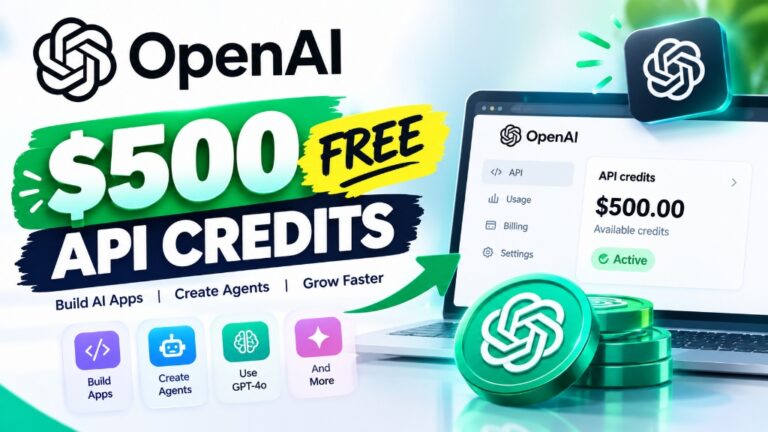
If you pay for ChatGPT Pro or ChatGPT Business, OpenAI now gives you up to $500 a month in free OpenAI API credits directly inside your subscription.
Until now, paying $200 every month for ChatGPT Pro gave you zero access to developer tools. If you wanted to test an API script, build an automation in Make.com, or test models in code, you had to pull out a second credit card, set up prepaid billing, and pay twice.
OpenAI has quietly eliminated that friction. In this guide, I will show you exact eligibility requirements, which subscription tiers qualify, how to link your API organization in 30 seconds, and the hidden traps that cause credits to expire.
• Pro 100: $100 / mo in API credits
• Pro 200: $200 / mo in API credits
• Pro 500: $500 / mo in API credits
• Standard Seat: $20 / mo pooled
• Premium Seat: $100 / mo pooled
• Workspace Cap: $500 / mo max
🛡️ Account Gate: Paid 7+ Days
🚫 Excluded: Codex via Raw Keys
What Are OpenAI Free API Credits?
OpenAI free API credits are monthly developer dollar allowances bundled directly into paid ChatGPT Pro and ChatGPT Business subscriptions at no extra cost.
Instead of treating ChatGPT web chat and developer API keys as two isolated silos, OpenAI automatically awards recurring monthly balances that you can use across official API endpoints.
[ChatGPT Pro Subscription: $200/mo]
                 │
                 ├──► Unlimited GPT-5.4 & Thinking Web Chat
                 │
                 └──► Matches $200/mo in Free OpenAI API Credits
                                  │
                                  ├──► Responses API (GPT-6.1 Terra & o3)
                                  ├──► Decisions API (Real-time checks)
                                  └──► Realtime Multimodal Voice & Images
If you subscribe to Pro 200 at $200 per month, OpenAI deposits $200 worth of API credits into your linked OpenAI organization on every billing date.
📹 Video Walkthrough: How to Claim Your Credits in 43 Seconds
If you prefer a quick visual walkthrough, here is our 43-second summary showing the exact claiming menu:
Tier-by-Tier Breakdown: Who Gets Free OpenAI API Credits?
Not every ChatGPT plan qualifies for free monthly credits. OpenAI specifically reserves this perk for higher-tier individual subscribers and business teams.
| Subscription Tier | Monthly Subscription Price | Monthly Free API Credits | Annual Developer Value | Stacking & Pooling Rules |
|---|---|---|---|---|
| ChatGPT Free / Go | $0 | $0.00 | $0 | Not eligible |
| ChatGPT Plus | $20 / month | $0.00 | $0 | Strictly excluded |
| ChatGPT Pro 100 | $100 / month | $100.00 / month | $1,200 / year | Single linked API organization |
| ChatGPT Pro 200 | $200 / month | $200.00 / month | $2,400 / year | Single linked API organization |
| ChatGPT Pro 500 | $500 / month | $500.00 / month | $6,000 / year | Single linked API organization |
| ChatGPT Business (Standard) | Variable | $20.00 / seat / month | $240 / seat / year | Pooled across workspace (Cap: $500/mo) |
| ChatGPT Business (Premium) | Variable | $100.00 / seat / month | $1,200 / seat / year | Pooled across workspace (Cap: $500/mo) |
| ChatGPT Enterprise | Custom contract | Custom API terms | Custom | Governed by enterprise contract |
Why ChatGPT Plus Is Excluded
ChatGPT Plus ($20/month) is aimed at casual consumer chats and light document analysis. OpenAI calculated that adding API credits to 10+ million Plus users would overwhelm inference infrastructure with micro-transactions. If you are on Plus and want developer API access, you still need to fund pay-as-you-go balances manually.
How to Claim OpenAI API Credits: Step-by-Step Walkthrough
You can link your subscription and unlock your credits using the ChatGPT web application or the developer platform.
Step 1: Open ChatGPT Settings
Log into chatgpt.com using the primary email address tied to your paid subscription. Click your profile picture in the lower-left corner and select Settings.
Step 2: Navigate to Billing
Inside the Settings modal, click on the Billing tab in the left-hand navigation list.
Step 3: Select API Credits Benefit
Scroll down to the newly added section titled “API Credits Benefit”. If your account is eligible, you will see a dropdown menu listing all OpenAI API organizations associated with your email.
Step 4: Link Your Target Organization
Choose the specific organization where you want your credits deposited, then click “Confirm & Link”. Your developer dashboard at platform.openai.com will immediately reflect your new credit allocation.
ChatGPT Web ──► Profile (Bottom Left) ──► Settings ──► Billing ──► API Credits ──► Link Org
Which APIs Can You Use with Free Credits?
OpenAI allows you to spend your subscription credits across standard developer endpoints, but enforces key boundaries.
Supported Endpoints (100% Eligible)
- Responses API: The flagship API endpoint powering next-generation models including GPT-6.1 Terra, o1, and o3 reasoning engines.
- Chat Completions API: Standard
/v1/chat/completionsrequests used in popular IDE plugins like Cursor, Windsurf, and VS Code. - Decisions API: Ultra-low-latency classification models used for real-time grammar checks and automated triage.
- Realtime & Voice API: WebSocket-driven audio-to-audio multimodal streaming models.
- Images API: DALL-E 3 and GPT Image rendering endpoints.
What Is Strictly Excluded
- Codex via Raw API Keys: You cannot route free credits into Codex through raw standalone API keys.
- Web Chat Message Quotas: Credits cannot be exchanged to increase web interface message caps or rate limits.
- Rate Limit Tier Increases: Having $500 in free credits does not automatically bump your account from Tier 1 to Tier 4 throughput.
The 5 Hidden Rules and Gotchas You Must Know
Before planning your development around these credits, keep these operational rules in mind:
1. The 7-Day Anti-Fraud Rule
Your paid ChatGPT subscription must be active and paid for at least 7 continuous days before the claiming button appears. This stops bot rings from signing up with temporary virtual cards, claiming credits, and immediately canceling.
2. Strict “Use It or Lose It” Expiration
Credits do not roll over. If you receive $200 on October 28 and only spend $60, the remaining $140 evaporates when your next billing cycle arrives on November 28. Spend your full balance every month.
3. Consumption Priority Order
If you already have a prepaid cash balance in your OpenAI API account, OpenAI automatically consumes your free subscription credits first. Your paid balance remains untouched until the monthly grant is fully exhausted.
4. Matching Email Address Requirement
Your ChatGPT workspace account and your OpenAI API organization must use the exact same login email address. You cannot gift or transfer credits to a friend or coworker’s separate developer account.
5. Single Organization Lock
You cannot split a $200 grant into $100 for personal testing and $100 for your company workspace. The entire monthly balance must be mapped to one organization.
Strategic Shift: Why OpenAI Added Free API Credits
This move marks a major strategic evolution for OpenAI in late 2026.
For years, developers criticized OpenAI for charging twice: $200/month for ChatGPT Pro plus hundreds more for basic API experimentation. Meanwhile, platforms like Google Cloud and Anthropic frequently bundle promotional developer tokens with enterprise subscriptions.
By bundling up to $500/month in free API usage, OpenAI achieves two critical goals:
1. Developer Retention: Developers paying for ChatGPT Pro no longer have any incentive to switch to third-party model aggregators just to save a few dollars.
2. Ecosystem Lock-In: Giving builders free monthly compute directly encourages them to build plugins, voice agents, and automation workflows on OpenAI’s proprietary Decisions and Responses APIs.
Frequently Asked Questions (PAA)
Does ChatGPT Pro include API credits?
Yes. Active ChatGPT Pro subscriptions include matching monthly OpenAI API credits: Pro 100 receives $100/mo, Pro 200 receives $200/mo, and Pro 500 receives $500/mo.
Does ChatGPT Plus give you free API credits?
No. ChatGPT Plus ($20/month) is strictly excluded from this benefit. Only Pro 100, Pro 200, Pro 500, and Business workspace plans qualify.
Do free OpenAI API credits expire every month?
Yes. Credits expire at the conclusion of each billing cycle with zero rollover. Unused balances do not carry over to subsequent months.
Can I use these API credits in Cursor or Make.com?
Yes. As long as your API key is generated from the specific organization you linked in ChatGPT Settings, any request sent from Cursor, Windsurf, Make.com, or custom Python scripts will consume your free monthly credits first.
Why is the API credits claiming button missing in my settings?
If you do not see the option under Settings → Billing, verify that:
1. Your account is on Pro or Business (not Plus or Free).
2. Your subscription has been active and paid for at least 7 days.
3. Your login email matches your OpenAI developer organization owner email.