
If you have spent any serious time building software with AI coding assistants over the past year, you have run into the exact same wall I did: context rot. You start a conversation with clear instructions. The assistant inspects five files, writes three functions, and everything looks promising. But by file fifteen, the conversation context has ballooned into forty thousand tokens of raw code and terminal logs. Suddenly, the agent begins forgetting earlier constraints, hallucinating file paths, and drifting completely away from your instructions.
/run-workflow command. By executing parallel helper agents in isolated contexts with strict JSON Schema outputs, it completely eliminates prompt drift and cancels runaway token burn when errors occur.
Watch the Video Breakdown: Watch Google Antigravity Dynamic Workflows on YouTube (@Softreviewed)
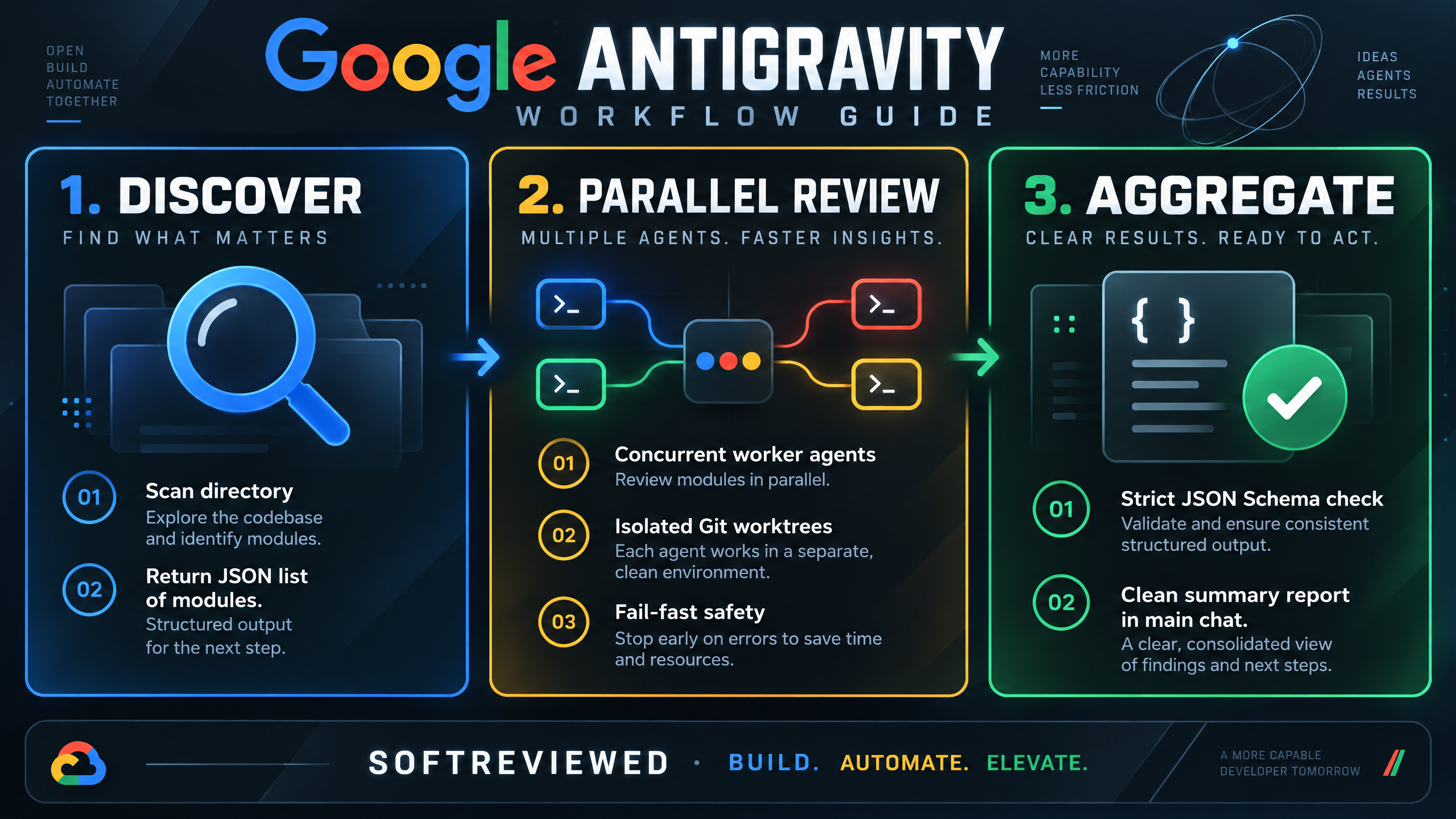
Technical decision guide: Discover, Parallel Review, and Aggregation in Google Antigravity Dynamic Workflows.
On November 14, 2026, the Google DeepMind team rolled out a structural solution inside their AI-first development environment: google antigravity dynamic workflows. Instead of forcing complex multi-file engineering into a single wandering chat transcript, Antigravity has fundamentally changed how agents orchestrate work. By introducing the /run-workflow command, the system allows the primary agent to generate a deterministic Python script on the fly. That script manages parallel worker agents in clean, isolated context windows, enforces strict JSON data contracts, and brings results back to your main chat without dragging along gigabytes of conversational dead weight.
In this hands-on guide, I will break down exactly how google antigravity dynamic workflows function, inspect the underlying Python primitives, examine how human approval keeps the agent safe, and explain when you should choose dynamic workflows over alternative paradigms like native swarms or standard subagents.
Why Did Google Build Dynamic Workflows in Antigravity?
To understand why this launch matters, we have to look at what came before it. Earlier versions of Google Antigravity relied on static Markdown workflows stored inside .agents/workflows/*.md. When you typed a slash command, the agent simply read a list of Markdown instructions and attempted to walk through them one by one inside your active chat window.
In small scripts or simple three-step jobs, static workflows worked reasonably well. But when I tested them on production repositories containing dozens of interconnected modules, three severe bottlenecks surfaced:
- Prompt Drift on Repetitive Tasks: LLMs are probabilistic text predictors, not state machines. When an agent is told to loop through twenty files via natural language, it frequently drifts by file eight, skipping verification steps or hallucinating that it already checked a component.
- Context Window Exhaustion: Every file an agent reads and every terminal command it runs dumps hundreds of lines of text into the main conversation history. This context bloat slows down response times, increases cost, and degrades model reasoning.
- Absence of Programmatic Error Handling: If step four in a static workflow failed, the agent would often proceed blindly to step five, compounding errors until the entire branch was corrupted.
What I've been hearing across the developer community matches this exact frustration. Engineers love multi-agent speed, but they hate unpredictability. We do not want an AI agent guessing how to loop through a directory; we want deterministic loops, explicit error handling, and structured data flow. That is precisely what google antigravity dynamic workflows deliver. By delegating the execution logic to Python, Antigravity separates the planner from the workers.
Antigravity Dynamic Workflows: User Chat ──► Writes Python Script ──► Parallel Worker Agents ──► Clean Summary in Chat
How Google Antigravity Dynamic Workflows Actually Work Under the Hood
/run-workflow <task>, the lead model writes an asynchronous Python script using built-in primitives like phase(), agent(), and parallel(). Antigravity pauses for human script approval, executes the subagents across isolated Git worktrees, validates each agent's output against a JSON Schema, and aggregates the final findings into your main chat.
Core Python Primitives Explained
When Antigravity compiles a dynamic workflow, the script runs in a dedicated Python 3.8+ environment. The platform injects several powerful orchestration primitives directly into the script scope:
# Real example of a Dynamic Workflow script in Antigravity
phase("Discover")
modules = await agent(
    "List all Python module paths (.py files) in src/inventory. "
    "Only inspect file paths. Return relative paths sorted alphabetically.",
    schema={"type": "array", "items": {"type": "string"}},
    role="Discover Inventory Modules"
)

phase("Review")
reviews = await parallel(modules, lambda mod: agent(
    f"Inspect {mod} for unhandled database exceptions. Return a 1-line verdict.",
    schema={"type": "string"},
    role=f"Audit {mod}",
    workspace="branch",
    model="flash"
))

for r in reviews:
    log(r)
phase(name): This function creates named milestones in the Antigravity UI. In both the Antigravity desktop application and the terminal CLI (agy), phases visually group logs and agent cards so you can watch execution unfold stage by stage.agent(prompt, schema, role, workspace, model): This primitive constructs a worker agent. Crucially, the agent is lazy: it does not spin up until awaited or passed into a concurrency runner. You can setmodel="flash"ormodel="flash_lite"to run quick file checks at a fraction of the cost of frontier reasoning models.schema(Strict Contract Validation): Every agent must be assigned a JSON Schema. The helper agent cannot simply ramble in unstructured text; it must terminate its turn by calling its internalfinishtool with arguments matching your schema. If an agent fails to provide schema-compliant data, the workflow catches the error immediately.parallel(items, fn)with Fail-Fast Cancellation: Theparallelhelper takes a list of items and an asynchronous function, executing them concurrently. But here is the critical safety mechanism: if any single worker throws an unhandled exception or fails its schema check, Antigravity cancels all remaining sibling workers instantly. This prevents runaway billing loops where twenty agents continue burning API credits on a broken pipeline.pipeline(items, fn): When tasks have strict sequential dependencies (such as building a binary before running integration tests),pipelineawaits each worker in strict sequential order.workspace="branch": When multiple workers need to modify files simultaneously, setting the workspace parameter to"branch"creates isolated Git worktrees. Workers can write code, run linters, and stage commits without stepping on each other's changes.
The 4-Option Security Gate: How Human Approval Works in Antigravity
One of the biggest concerns developers have expressed regarding autonomous multi-agent systems is safety. Nobody wants an AI system spinning up twenty subagents that execute arbitrary terminal commands without supervision. In google antigravity dynamic workflows, security is baked into the design via an interactive pre-execution card. When the planner model generates the Python script, execution pauses and surfaces an approval dialogue:
modules = await agent("List Python files in src/bookstore", ...)
reviews = await parallel(modules, lambda m: agent(...))
[2] Yes, and always allow in this conversation
[3] Yes, and always allow (Turbo Preset)
[4] No (tell the agent what to do instead)
You have complete clarity before a single file is touched. You can inspect the loop logic, check which directory the agent is targeting, verify that workspace="branch" is enabled for safety, and approve the run with confidence.
Script Reusability and Persistence
Unlike ephemeral chat prompts that disappear when a conversation closes, Antigravity allows you to save any workflow script directly to your project repository as a .py file. You can define typed arguments in a companion workflow.json manifest and invoke your workflow repeatedly with parameterized inputs:
# Running a saved, parameterized dynamic workflow
agy /run-workflow --file ./workflows/security_audit.py --args '{"target_dir": "src/auth"}'
This transforms google antigravity dynamic workflows from a conversational feature into a permanent, reusable automation asset for your development team.
Dynamic Workflows vs. Swarm vs. Subagents: Which One Should You Use?
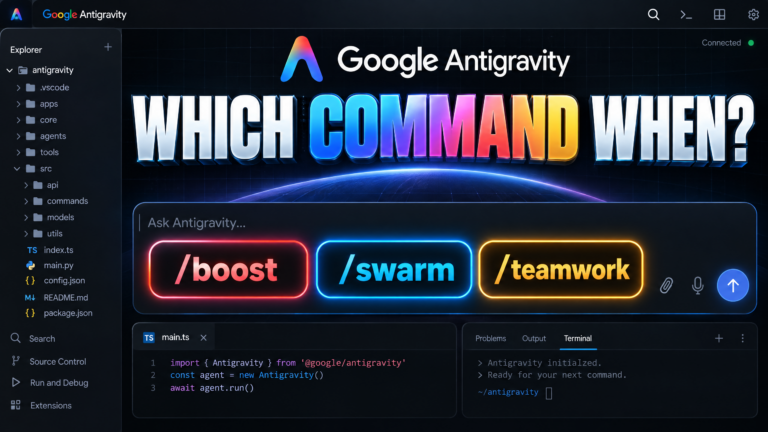
/run-workflow) for structured, deterministic batch tasks across files where agents report data back to Python. Use Native Swarms (/swarm) when agents must talk to each other and collaborate across specialist roles. Use Single Subagents (invoke_subagent) for isolated, one-off jobs like browser tests or image generation.
| Evaluation Criteria | Dynamic Workflows (/run-workflow) | Native Swarm (/swarm) | Standard Subagents (invoke_subagent) |
|---|---|---|---|
| Coordination Model | Deterministic Python script (Code-first) | Shared Message Board (@mentions) | Direct parent-child call |
| Agent-to-Agent Talk | No: Subagents are isolated; report JSON to script | Yes: Agents actively debate, review, and hand off work | No: Worker reports only back to caller |
| Data Contract | Strict JSON Schema validation | Free-form board messages and diffs | Flexible return string or tool output |
| Failure Handling | Fail-Fast: One failed worker cancels sibling workers | Resilient: Stall monitor detects stalls; coordinator reassigns | Isolated error returned to parent |
| Token Consumption | Very efficient (lightweight models for workers) | Higher (every board post is read by all workers) | Low (isolated single track) |
| Best Practical Use Case | Codebase audits, batch file refactoring, test suites | Creative multi-role teams (Writer + Verifier + QA) | Single browser UI test, image generation, targeted lookup |
Here is the simple rule of thumb I use in my own projects:
- If the work is a map-reduce or batch process across a predictable set of items (e.g., "check these 15 API routes for missing authentication"), use google antigravity dynamic workflows.
- If the work requires specialized roles talking back and forth (e.g., an author writing code while a dedicated verifier tries to break it), use a native swarm.
- If the task is a single isolated action (e.g., checking a live webpage or generating a cover graphic), use a subagent.
Real-World Example: Auditing Python Modules with the Bookstore Workflow
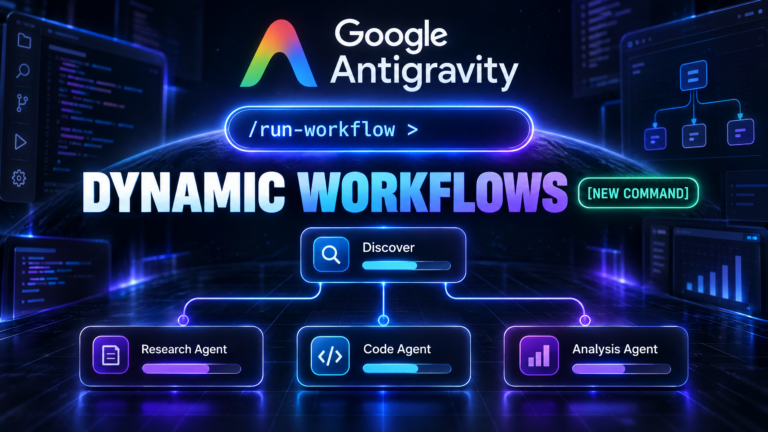
src/bookstore, then spawned four parallel worker agents to review each module simultaneously, delivering line-specific verdicts without cluttering the chat.
To see this in action, let's walk through the exact real-world scenario demonstrated by the Google DeepMind team during the official launch. In the demo, the developer wanted to audit an existing application named bookstore for unhandled exception risks. In a standard conversational AI tool, typing this prompt would result in the agent reading one file, writing a paragraph, reading the next file, and losing track halfway through.
/run-workflow Find the Python modules in src/bookstore, then review each module in parallel for unhandled exceptions (read files only) and give me a one-line verdict per module.
- Step 1: Python Compilation: Antigravity took 0.4 seconds to generate a concise 20-line asynchronous Python script using
phase("Discover")andphase("Review"). - Step 2: Module Discovery: Phase 1 executed a single helper agent that scanned
src/bookstore. It returned a sorted JSON array containing four module paths:src/bookstore/__init__.py,src/bookstore/inventory.py,src/bookstore/orders.py, andsrc/bookstore/pricing.py. - Step 3: Parallel Fan-Out: In Phase 2,
parallel()spun up four independent worker agents at the exact same instant. - Step 4: Live Progress Monitoring: In the Antigravity desktop application, the right-hand panel split into neat status cards showing each agent analyzing its assigned file. In the terminal CLI, a clean phase tree tracked the status:
RunWorkflow(Running module exception review · Review · 3/4 agents) Discover ✔ List modules in src/bookstore Review ✔ Review __init__.py ✔ Review inventory.py ⏳ Review orders.py (Running) ✔ Review pricing.py - Step 5: Aggregated Delivery: Once the final worker completed its schema validation, the main chat displayed a four-line bulleted table summarizing the exact database error risks found across the modules.
The entire audit completed in under fifteen seconds. The main conversation history remained completely spotless—no thousands of lines of raw code dumped into the scrollback, and zero prompt drift.
Pricing, Model Tiers, and Plan Availability for Google Antigravity Workflows
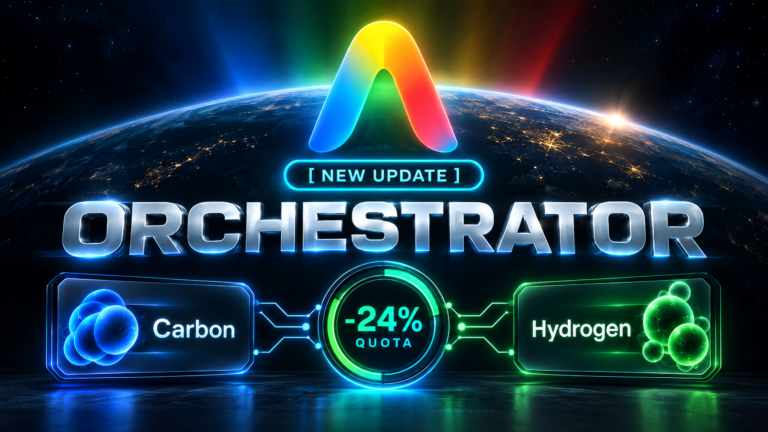
One of the smartest design decisions Google implemented in google antigravity dynamic workflows is model tier separation. When you run a dynamic workflow, you do not need to run twenty instances of a high-cost frontier model. Antigravity allows the script orchestrator to assign different model tiers based on the complexity of each sub-task:
- Orchestrator Tier (
Gemini 4 Carbon): The primary conversational model that understands your high-level intent and authors the Python script. - Worker Tiers (
model="pro",model="flash",model="flash_lite"): Whenparallel()spawns worker agents, the script can pin them to high-speed, low-cost tiers like Flash. Because each worker receives a tight, single-purpose prompt (e.g., "check this single file for missing error handlers"), a smaller model completes the task with near-zero latency and minimal token consumption.
Fail-Fast Cost Protection
In traditional agent systems, if an orchestration loop has a bug, parallel workers can run indefinitely, burning through your monthly API limits before you notice the failure. Because Antigravity dynamic workflows run on native Python asyncio promises, unhandled exceptions trigger immediate cancellation across all active promises. If worker two encounters an invalid file path or fails its JSON schema check, workers three and four are killed immediately. You only pay for the work that actually succeeded.
Frequently Asked Questions About Google Antigravity Dynamic Workflows
How do I trigger dynamic workflows in Google Antigravity?
You can trigger dynamic workflows by typing /run-workflow <your task> in the chat input of either the Antigravity 2.0 Desktop Application or the Antigravity CLI (agy). You can also invoke existing scripts saved on disk using /run-workflow --file <path_to_script.py>.
Can helper agents inside a dynamic workflow modify code files?
Yes. To ensure parallel agents do not create file conflicts when editing code, set workspace="branch" inside the agent() primitive. Antigravity will automatically create isolated Git worktrees for each worker, allowing them to edit and test code concurrently without overwriting files.
What is the difference between dynamic workflows and legacy workflows?
Legacy workflows were static Markdown files (.md) that walked through prompt instructions sequentially in a single chat conversation. Dynamic workflows are executable Python scripts that support programmatic loops, parallel agent fan-outs, strict JSON Schema outputs, and fail-fast error handling.
What happens if a subagent fails during a parallel execution?
Antigravity enforces a strict fail-fast policy. If any single subagent in a parallel() block throws an error or fails to match its assigned JSON Schema, all other running sibling subagents are immediately cancelled to save tokens and protect your codebase.
Do I need to install Python separately to use dynamic workflows?
No. Google Antigravity includes a bundled Python runtime out of the box in both the desktop application and the CLI. As long as Python 3.8+ is accessible in your environment, dynamic workflows execute without manual interpreter configuration.