
When OpenAI launched OpenAI Images 2.6 on November 4, 2026, across ChatGPT, Codex, and the developer API, I immediately pulled it into my daily production pipeline to test whether native image motion has truly arrived or if it is merely another AI tech demo. Having tested both the high-speed Flare model and the intricate Sunburst engine, I can report that the biggest upgrade is not just sharper image textures. It is practical creative utility: native looping animated GIFs, SVG vector generation, and a hidden complexity setting that dictates whether your edits succeed or accidentally warp your scene.
What Is OpenAI Images 2.6?
OpenAI Images 2.6 is the newest visual generation and editing engine in the GPT-Image-2.6 family. Released on November 4, 2026, it is available across all tiers of ChatGPT (Free, Plus, Team, Enterprise, Edu), Codex, and the OpenAI REST API.
When you look back at earlier models like version 2.5 or DALL-E 3, every single prompt was treated as an isolated roll of the dice. If you wanted to animate a brand character, you had to export static frames, bring them into external video diffusion software, and pray that the face did not morph between seconds. OpenAI Images 2.6 fundamentally changes this by adding native looping animated GIFs, spatial visual markup, SVG vector exports, and a dual-engine architecture tailored for developers.
How Looping Animated GIFs Work: The "Flip Book" Prompting Rule
OpenAI Images 2.6 lets creators turn a single prompt or sketch into a looping GIF. In the developer API, animations default to 9 frames at 200 milliseconds per frame, creating an ultra-snappy 1.8-second loop. You can expand this all the way up to 64 frames for slower, cinematic sequences.
The trick most people miss? You have to write your prompt like an animator's flip book. If you just say "an owl waving its wing", the model does not know where to finish, resulting in a jarring jump cut every time the GIF restarts. Instead, describe each motion step-by-step and explicitly demand that the final frame returns seamlessly to the first frame:
A stylized 2D pen sketch owl on lined paper coming to life. Frame sequence: the owl blinks slowly, turns its head 30 degrees to the right, ruffles its feathers, and turns back to its exact starting forward pose on the final frame for a seamless infinite loop.
/v1/images/generations. You cannot inpaint or edit an existing animated GIF via /v1/images/edits.
Flare vs. Sunburst: Choosing Speed vs. Consistency
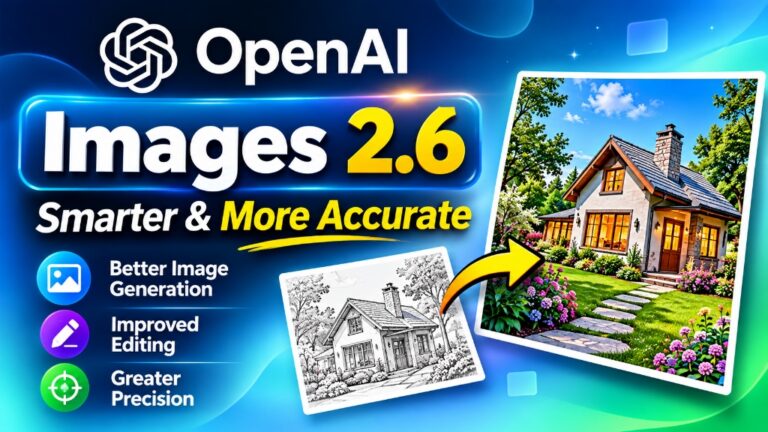
In the developer API, OpenAI separated the model family into two distinct operational engines: GPT-Image-2.6 Flare and GPT-Image-2.6 Sunburst. Both cost the exact same token price, which means your choice should depend entirely on your task:
- Use Flare for Speed & Layouts: Flare finishes in as little as 6 seconds on low quality. In real benchmark tests, it clocked in at 4.84s (46% faster than version 2.5's 7.08s). It excels at text posters, marketing layouts, and rapid drafting.
- Use Sunburst for Character Lock: Sunburst takes slightly longer but preserves human faces, intricate textures, and mascot features across multiple rounds of inpainting edits without drifting.
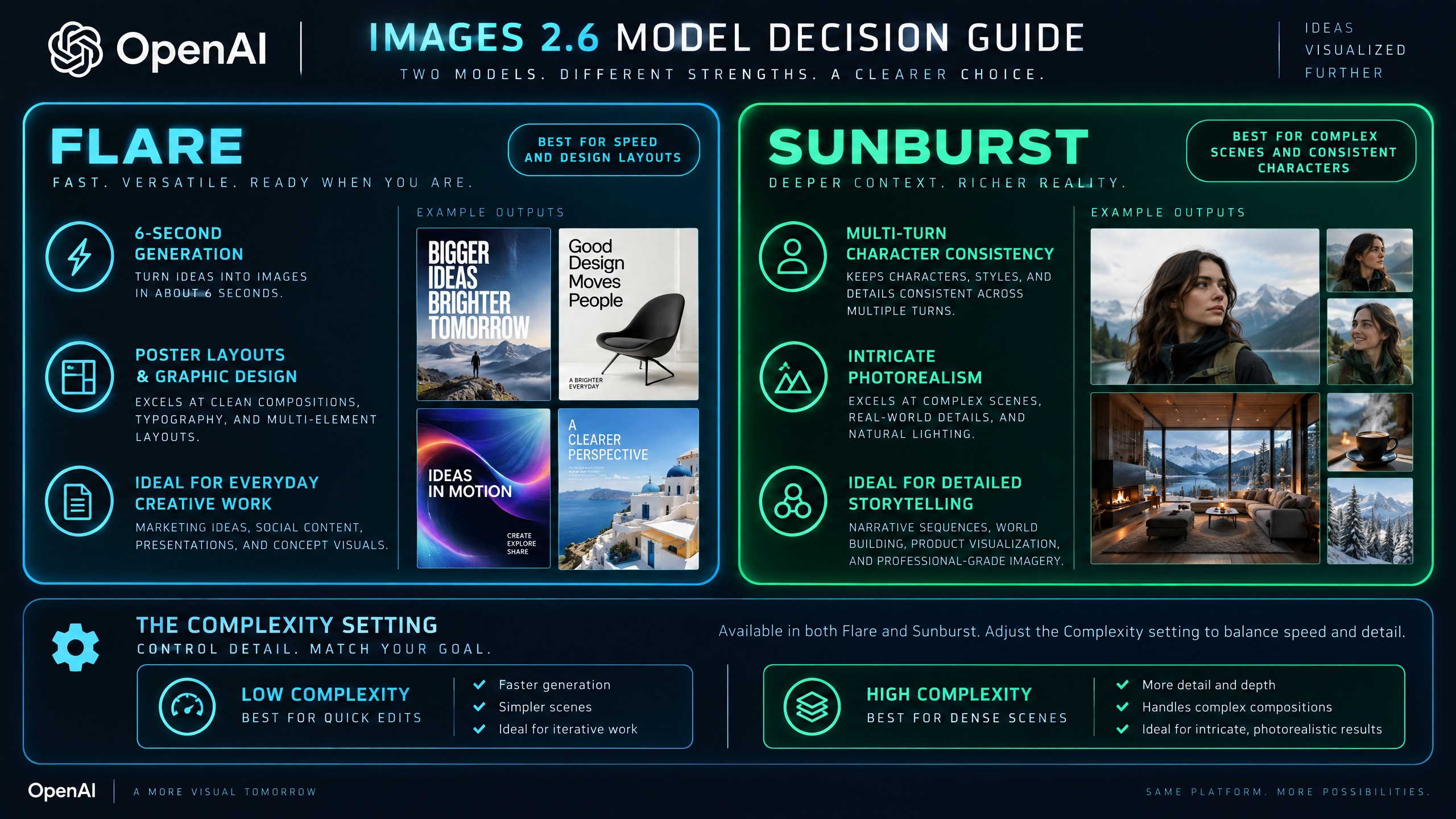
Official SoftReviewed Architectural Decision Guide: When to deploy Flare for 6-second concept drafting versus Sunburst for character consistency.
The Hidden "Complexity" Setting: Why Your Edits Might Be Failing
One of the most consequential new features in Images 2.6 is the Complexity setting. It decides how many internal reasoning and planning cycles the model runs before it starts drawing.
Here is the trap: If you omit the complexity parameter, it automatically defaults to High.
When complexity is set to High during a simple edit—like asking to swap a background or recolor a jacket—the model overthinks the scene. It often alters unprompted details like facial expressions, lighting direction, or background furniture. Setting complexity to low tells the model to perform a surgical change and leave the rest of your image completely untouched.
| Complexity Setting | Planning Cycles | Best For | Risk If Misconfigured |
|---|---|---|---|
| Low | Minimal (Direct Draw) | Background swaps, object recoloring, simple inpainting | Poor text spelling on dense typography |
| Medium | Balanced Reasoning | General image generation, portrait photos | Moderate generation latency (~8–10s) |
| High (Default) | Heavy Pre-Planning | Complex multi-character scenes, detailed infographic posters | Alters unprompted background details on simple edits |
API Spatial Markup & Native SVG Vector Exports
Images 2.6 brings two key developer features into the official API:
- Image Markup in the API: You can now send an annotated image layer (like drawing a circle around a vase) and tell the API what to change inside that circle. Pro Tip: Always add
"Remove the annotation circle from the final image"so the red outline does not stay in your output! - Native SVG Vector Output: For tech icons and logos, raster PNGs pixelate when scaled. Images 2.6 can output pure mathematical SVG vector XML paths that stay 100% sharp on billboards. Note: SVG exports are static only.
Comparison Guide: Images 2.6 vs. Frontier AI Models
Here is how OpenAI Images 2.6 compares against earlier models and leading alternatives:
| Capability | OpenAI Images 2.6 | OpenAI Images 2.5 | Midjourney v6 | Flux 1.1 Pro |
|---|---|---|---|---|
| Native Looping GIFs | Yes (2–64 frames) | No (Still Only) | No | No |
| Generation Speed | ~4.8s (Flare) | ~7.1s | ~25.0s | ~3.5s |
| Vector (SVG) Export | Yes (Native API) | No | No | No |
| Character Inpainting Lock | High (Sunburst) | Moderate | High | Very High |
| Watermarking & Provenance | SynthID + C2PA | C2PA Only | None | None |
| Pricing | $8 in / $30 out per 1M | $8 in / $30 out per 1M | $10–$120 / month | $0.04 / image |
SynthID Watermarking & Token Pricing
Every image and animated GIF generated by Images 2.6 carries an imperceptible digital watermark called SynthID (developed by Google DeepMind), alongside cryptographic C2PA metadata. Even if the image is cropped, compressed, or screenshotted, detection scanners can still verify that it was created by OpenAI.
Pricing remains identical to version 2.5:
- Input Tokens: $8.00 per 1 Million tokens (prompts and reference images).
- Output Tokens: $30.00 per 1 Million tokens (generated images, GIFs, and SVGs).
Frequently Asked Questions
1. Does OpenAI Images 2.6 cost more than version 2.5?
No. Token pricing is completely unchanged at $8 per 1M input tokens and $30 per 1M output tokens. Both Flare and Sunburst cost the exact same amount.
2. Can I turn an existing still photo into a GIF using the edit tool?
No. GIF generation is restricted to the new generations endpoint. You can provide a reference image in your prompt, but inpainting edits on a live GIF file are not supported.
3. Why are my background edits tweaking parts of the image I never asked to touch?
If you omit the complexity setting, it automatically defaults to High. This causes the model to over-plan and modify surrounding elements. Always set complexity="low" for focused, surgical edits.
4. Are the SVG vector files animated?
No. The SVG export feature outputs static mathematical vector paths designed for logos and icons. All motion loops must be exported as GIFs.
5. Can free ChatGPT users access OpenAI Images 2.6?
Yes. OpenAI has rolled out Images 2.6 across all ChatGPT plans, including the Free tier, with standard hourly generation limits.
Jovin's Final Practical Takeaway
OpenAI Images 2.6 is a refreshing release because it focuses on creative workflow problems that actually slow down creators: turning a sketch into a looping animation, exporting razor-sharp vector logos, and controlling planning complexity so edits do not hallucinate.
My rule of thumb: Start on Flare with low complexity to nail your layout in 6 seconds, then switch to Sunburst for the polished final asset.