OpenAI Release | ChatGPT, Work, Codex & API
Executive Summary: ChatGPT Images 2.5 Solves AI’s Biggest Creative Bottleneck
OpenAI has officially launched ChatGPT Images 2.5 across web, mobile, desktop, and the developer API. Addressing the single most persistent frustration in generative image production—multi-turn degradation and subject identity drift—Images 2.5 introduces surgical pinpoint comment editing, an interactive @Sketch canvas tool, and native transparent PNG generation. Generation latency is cut by up to 50%, and developers gain access to two specialized API architectures: the rapid-fire gpt-image-2.5-flare and the studio-grade gpt-image-2.5-sunburst.
⚡ Key Takeaways at a Glance
- Up to 50% Latency Reduction: Generation turnaround drops from ~15 seconds to under 7 seconds on the Flare engine.
- Pinpoint Comment Edits: Drop a pin directly on any image region to swap colors, logos, or props without altering surrounding lighting or character features.
- Multi-Turn Consistency: Zero quality loss across recursive refinement prompts; earlier edits hold their sharpness permanently.
- Native Alpha Transparency: Direct generation of cutouts and transparent assets without post-processing background removers.
- Dual Developer Models:
gpt-image-2.5-flarefor real-time high-throughput apps;gpt-image-2.5-sunburstfor publication-grade precision. - Enterprise Deployment: Live from Day 1 in ChatGPT, ChatGPT Work, Codex, and Adobe Firefly suites.
Official Video Companion: Watch on YouTube Shorts (@Softreviewed)
The Multi-Turn Degradation Dilemma: Why Images 2.5 Matters
Since the introduction of generative diffusion and multimodal visual synthesis, professional creators have struggled with a universal flaw: identity drift. In previous models (including DALL-E 3 and ChatGPT Images 2.0), asking the AI to make a simple edit—such as “change the model’s tie from blue to red”—frequently triggered an entire canvas re-render. Facial structures changed, sunlight shifted, and background fidelity softened.
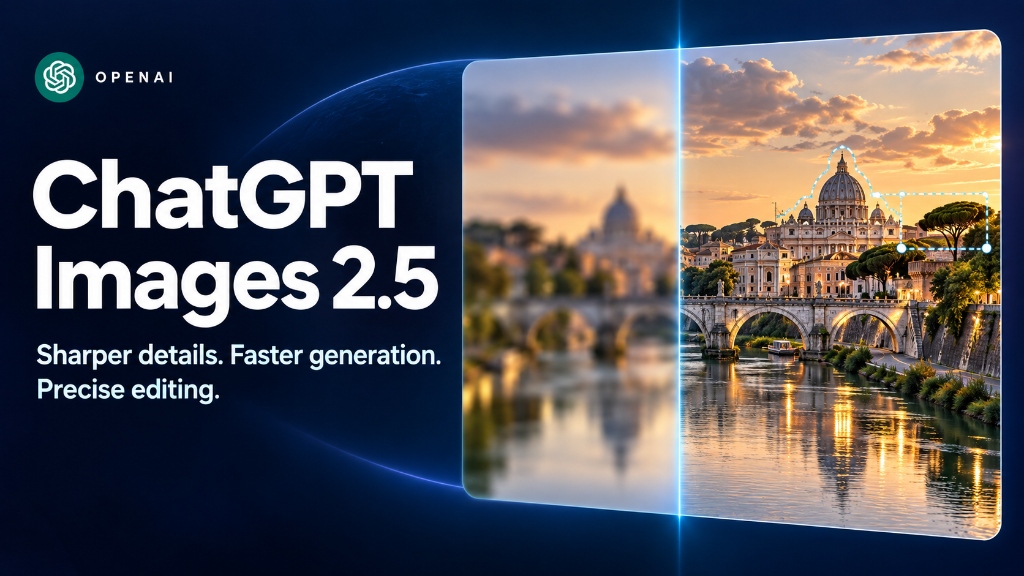
Figure 1: Legacy Canvas Re-render vs. ChatGPT Images 2.5 Pinpoint Inpainting. Earlier architectures repainted the entire canvas, causing identity drift and altered lighting. Images 2.5 locks surrounding pixels permanently.
With more than 3 billion images generated weekly across ChatGPT and the OpenAI API, creative production required a non-destructive workflow. ChatGPT Images 2.5 rebuilds the editing pipeline from the ground up:
Latency reduced by half, dropping iteration loops to under 7 seconds.
Earlier turns retain full resolution and sharpness across unlimited revisions.
Battle-tested architecture deployed globally across web, iOS, Android, and Codex.
In Simple Terms: How ChatGPT Images 2.5 Actually Works
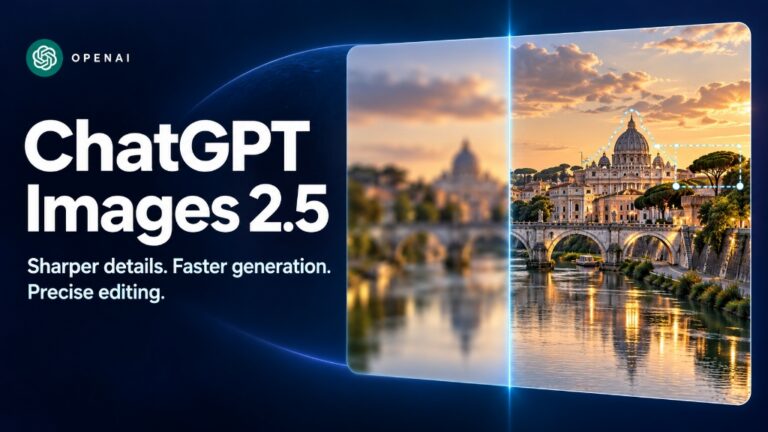
To understand why Images 2.5 behaves differently than previous AI art generators, consider this analogy:
The Digital Retoucher Analogy: Traditional AI image generation was like hiring an oil painter who scraped the entire canvas clean and repainted the whole picture every time you requested a minor touch-up. ChatGPT Images 2.5 behaves like an expert Photoshop artist working with non-destructive smart layers—allowing you to drop a pin on a jacket, swap the color, and leave the subject’s face, hair, and background completely untouched.
The 4-Step Selective Inpainting Pipeline
│
▼
[2. GPT-Image-2.5 Engine] ───────────▶ 50% faster diffusion pass with rich natural lighting
│
▼
[3. Drop Surgical Comment Pin] ──────▶ Target exact coordinate (e.g., “replace cup with camera”)
│
▼
[4. Zero-Drift Multi-Turn Output] ──▶ Isolated modification with zero facial or lighting warp
Core Upgrades: What’s New in the 2.5 Architecture
OpenAI’s latest update introduces six foundational capabilities that separate it from standard text-to-image generators:
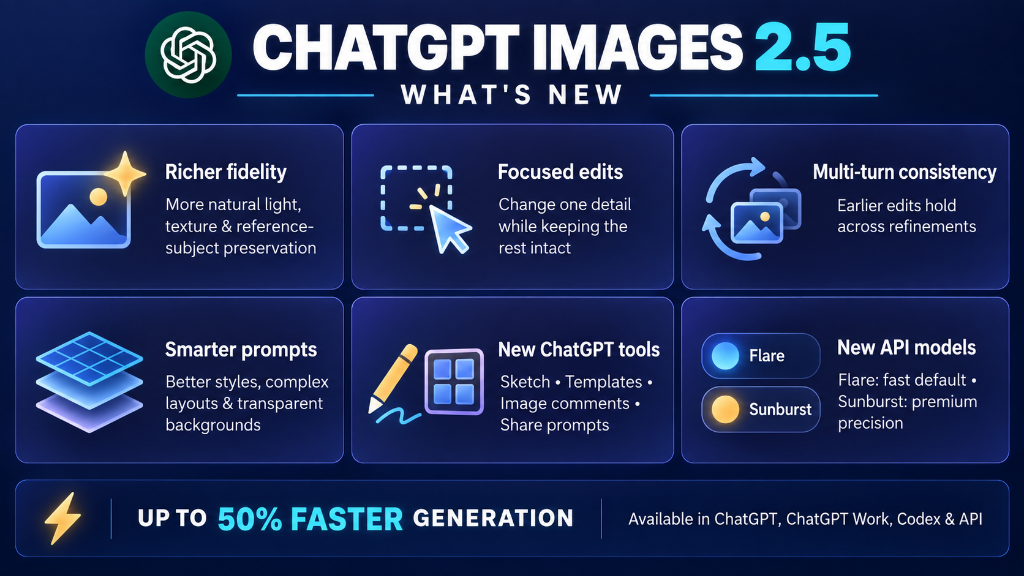
Figure 2: Complete Architectural Overview of ChatGPT Images 2.5 — Native Transparent PNGs, Focused Comment Edits, 50% Latency Reduction, and Developer Flare API.
🎨 1. Richer Visual Fidelity
Substantially improved dynamic range, skin texture rendering, and environmental bounce lighting. The synthetic plastic sheen that characterized earlier models has been replaced with organic depth and nuanced atmospheric shadows.
🎯 2. Focused Pinpoint Edits
Users can tap or click directly on an image to leave contextual instructions. Rather than re-crafting a 50-word prompt, you simply drop a pin on a wristwatch and type “make leather brown”.
🔄 3. Multi-Turn Consistency
Reference subjects hold their visual identity across dozens of iterations. Character faces, product dimensions, and architectural lines remain anchored across successive modification steps.
📐 4. Smarter Layouts & Transparent PNGs
Native support for true transparent alpha backgrounds. E-commerce merchants, app designers, and marketers can generate isolated product assets, stickers, and logos without green-screen bleed or jagged clipping paths.
✏️ 5. The @Sketch Mobile Canvas
Draw rough spatial outlines, wireframes, or color swatches directly inside the mobile app to establish scene composition before the model begins generating.
⚡ 6. Dual API Models: Flare & Sunburst
Developers can choose between gpt-image-2.5-flare (optimized for sub-second responses and high volume) and gpt-image-2.5-sunburst (engineered for high-resolution commercial delivery).
Competitive Showdown: ChatGPT Images 2.5 vs. Midjourney v6 vs. FLUX.1 vs. Imagen 3
How does ChatGPT Images 2.5 rank against the leading commercial and open-weight visual synthesis engines? The comparison table below evaluates speed, editing precision, identity locking, and developer integration:
| Evaluation Metric | ChatGPT Images 2.5 | Midjourney v6.1 | FLUX.1 [dev] | Google Imagen 3 |
|---|---|---|---|---|
| Target Strength | Surgical Pinpoint Edits & Consistency | Hyper-Stylized Cinematic Art | Open-Weight Local Execution | Text Rendering & Photorealism |
| Average Latency | 5–8 seconds (Flare) | 20–45 seconds | 12–25 seconds (GPU dependent) | 10–15 seconds |
| Multi-Turn Identity Drift | Extremely Low (Anchor Locked) | Moderate to High (Vary Region) | Moderate (Requires LoRA) | Moderate |
| Editing Mechanism | Pinpoint Comments & @Sketch | Vary (Region) / Pan / Zoom | Inpainting Masking / ControlNet | Text Prompt Inpainting |
| Native Transparent PNG | Yes (Alpha Channel Native) | No (Requires External Cutout) | No (Requires RemBG node) | No |
| Developer API Access | Official REST API (Flare & Sunburst) | Closed (Discord / Web UI only) | Full Self-Hosted Weights | Vertex AI / Google Cloud |
Where ChatGPT Images 2.5 Falls Short: The 3 Limitations
While ChatGPT Images 2.5 represents a technical breakthrough for editing and speed, it is not without compromises. In objective testing, three key limitations stand out:
If your objective is painterly conceptual art, dramatic surrealist lighting, or dark fantasy aesthetics, Midjourney v6.1 continues to provide richer default aesthetics. ChatGPT Images 2.5 prioritizes realism, crisp commercial clean-edges, and instruction adherence over wild stylistic flair.
OpenAI’s safety guardrails remain the most restrictive in the industry. Prompts depicting public figures, trademarked corporate IP, or violent themes will be rejected. Users needing unrestricted creative latitude will find open-weight models like FLUX.1 significantly more flexible.
Unlike legacy DALL-E 3 models that charged a flat $0.040 per standard image, Images 2.5 is billed via multimodal input and output tokens. Complex multi-turn pin edits accumulate token context, meaning pricing varies depending on prompt length and image resolution.
API Pricing Architecture: Flare vs. Sunburst
For developers building on the OpenAI API, the pricing structure is strictly metered per million tokens:
| Token Type | Standard Rate | Cached / Prompt Discount |
|---|---|---|
| Image Input Tokens | $8.00 / 1M tokens | $2.00 / 1M cached tokens |
| Image Output Tokens | $30.00 / 1M tokens | N/A (Generated pixels) |
| Text Prompt Input Tokens | $5.00 / 1M tokens | $1.25 / 1M cached tokens |
Frequently Asked Questions (People Also Ask)
Is ChatGPT Images 2.5 free to use?
Yes, ChatGPT Images 2.5 is available on the Free tier with daily generation limits, while ChatGPT Plus, Pro, Team, and Codex subscribers receive substantially higher hourly rate limits and priority GPU rendering.
Can ChatGPT Images 2.5 be used commercially?
Yes, according to OpenAI’s Terms of Use, you own the images you generate with ChatGPT and have full rights to use, sell, reprint, and distribute them commercially.
Do ChatGPT Images 2.5 outputs contain watermarks?
ChatGPT Images 2.5 does not include visible aesthetic watermarks, but it embeds standard C2PA metadata and invisible provenance markers to comply with international AI safety and transparency standards.
How do pinpoint comment edits work in ChatGPT?
You simply click or tap any specific coordinate on a generated image, enter a short modification prompt (such as “swap color to navy”), and the AI modifies solely that bounding box while keeping 100% of the surrounding image intact.
What is the difference between GPT-Image-2.5 Flare and Sunburst?
Flare is engineered as the default API model for speed (reducing latency by 50% for chat and social apps), whereas Sunburst is optimized for multi-layer studio precision and print-grade commercial graphics at the expense of longer generation times.
Experience ChatGPT Images 2.5 Today
Images 2.5 is rolling out globally across web, iOS, Android, macOS, Windows, and the developer API. Explore OpenAI’s official release notes and documentation to test pinpoint commenting and Flare API endpoints.